GT Rider - Thailand + Laos = Cambodia Motorcycle Touring Information - Main Site Home Page The Golden Triangle Rider
Thailand / Laos / Cambodia Motorcycle Touring Forum
 
 FAQFAQ   SearchSearch   MemberlistMemberlist   UsergroupsUsergroups   RegisterRegister 
 ProfileProfile   Log in to check your private messagesLog in to check your private messages   Log inLog in 


 Our Sponsors 

Simple way to post photo's on GT-Rider.

 
Post new topic   Reply to topic    The Golden Triangle Rider Forum Index -> New Board :: Instructions
View previous topic :: View next topic  
Author Message
Moto-Rex
Site Admin


Joined: 05 Jan 2008
Posts: 211

PostPosted: 15.06.2009, 15:20    Post subject: Simple way to post photo's on GT-Rider.

This is not a bad site to use for uploading photo's to GT-Rider.

Good for those who post photo's every now and then.

No joining up.

http://www.imageshack.us/

Just click browse.

Choose your photo.

Click start upload.

Wait till next page appears.

Scoll down to bottom of page and copy the "Hotlink for forums (1)" link. (Not the Thumbnail for forums)

And simply paste the link onto your post.
Back to top
View user's profile Send private message
mr.jacko
Cyclist
Cyclist


Joined: 19 Jul 2007
Posts: 15
Location: Chiang Mai, Thailand

PostPosted: 19.06.2009, 08:40    Post subject: Test

Posting aphoto should not be rocket science eh!!
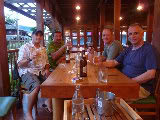
Here goes ... [img=http://img132.imageshack.us/img132/8655/p1030909y.jpg]
_________________
I'd rather have a bottle in front of me than a frontal labotomy.
Back to top
View user's profile Send private message Send e-mail
mr.jacko
Cyclist
Cyclist


Joined: 19 Jul 2007
Posts: 15
Location: Chiang Mai, Thailand

PostPosted: 19.06.2009, 08:44    Post subject:

Ok that worked lets try putting a phot direct onto the page though.
Here goes .... <a><img src='http://img132.imageshack.us/img132/8655/p1030909y.jpg' border='0' alt='Image Hosted by ImageShack.us'></a><br>

Hey cool! Ok now to get those trip reports out!
PS. This was done using Photoshack's 'Hotlink for websites' copy and paste'
_________________
I'd rather have a bottle in front of me than a frontal labotomy.


Last edited by mr.jacko on 19.06.2009, 08:54; edited 1 time in total
Back to top
View user's profile Send private message Send e-mail
tonykiwi
Biker Legend
Biker Legend


Joined: 01 Jun 2008
Posts: 287
Location: New Zealand

PostPosted: 19.06.2009, 08:49    Post subject:

I have not yet posted photos for trip reports but intend to do so in the very near future. Without going into detail can anyone tell me whether it is possible to load the code to link to a number of photos at once rather than load each link to the photo individually.

I am looking at reports where posters put maybe 30-40 pictures there. What do you need to do to post say an album or collection

Thanks, catch up maybe next wednesday for a beer for anyone who is around in CNX. I am in Bkk Sunday night through to wednesday.

T


Last edited by tonykiwi on 20.06.2009, 03:07; edited 1 time in total
Back to top
View user's profile Send private message Send e-mail
Ally
Biker Legend
Biker Legend


Joined: 13 Dec 2007
Posts: 385
Location: Chiang Mai

PostPosted: 19.06.2009, 11:05    Post subject:

Hi there guys, I hope I can offer some help.

First of all it needs to be said that this forum has buttons at the top of the post composing page and you can press these a few times and either enhance the readers experience or .... make you frustrated.

As a start, perhaps it needs explaining that in order for an image link to translate into a viewable image on this forum, the link must be enclosed by the square brackets img like this

Code:
[img]your link goes here[/img]


But if you are already copying a link from a hosting site that has the square bracket img in it, then you do not need to be pressing any buttons at the top of the composing page. All that will do is show the additional brackets as in the post.

If your hosting site does not provide the square bracket img's then you will need to insert the link in the page and then make the adjustments yourself.

An address to an image might look something like this one.

Code:
http://bikes.nongkway.com/my_album/june_2009/nice_pic.jpg


Now in order for this to appear, the address needs enclosing between a set of square bracket img's. You can write those yourself or you can press the buttons at the top of the composing page.

Code:
[img]http://bikes.nongkway.com/my_album/june_2009/nice_pic.jpg[/img]


By writing / typing any of the code bracket contents in your post, in the required positions (before & after) you will achieve the same effect as if you had pressed the buttons. I explain it this way round because if you press the buttons with your cursor in the wrong position, you may well get a piece of code in the wrong position too.

To go a bit further maybe I can explain the chevron bracket 'a'

Code:
<a> this is a url</a>


This code is used when you want to make a link or sometimes called a hyperlink. If you have a website address you want to show readers of your post, you can either write the link in words as in www.carefordogs.org or put it between square bracket url and have the words you show between them as a clickable link - Why not visit this site www.carefordogs.org


This clickable link was created like this

Code:

 [url=http://www.carefordogs.org][b]Why not visit this site![/b][/url]


So to simplify the process of inserting images in posts you need to understand a few ground rules and then realise it's easier when you know how.

    1 - Get your images hosted and when you see the link code, understand if you already have the square bracket img code included in your copied link.

    2 - When you insert the link into your post, make sure your cursor is where you want the image to appear and paste (right mouse click then - paste or ctrl+p) the link into the post.

    3 - If you do not have the square bracket img code before & after your link, you can either write them yourself or highlight the link and then click the buttons. But remember you need an opening bracket and then a closing one.


In answer to Tonykiwi's question, sadly the forum environment does not lend itself to multi insertion techniques but as an avid poster & often quantity rather than quality, I use my own site to show lots of stuff and merely show some here.

Not sure if this tip however, might help you.

Write a post on the forum and insert all you need to do in order to present the images etc and then copy that entire piece into notepad (a highly underrated little computer application).

Now save that to your local pc and see the code you have created.

I tend to compose my post locally and then paste the whole thing into the forum when finished. Beware, applications like Word can carry some background formatting you do not need on the forum. Notepad is just plain text.

When you next want to post, use the code you have saved as a guide and merely change the numbers / names of the images. Of course you should change the text also otherwise it could get a little boring !

Then copy the new notepad created post into a new forum post and preview the result.

DO NOT PRESS SUBMIT until you are content with the results.

Sorry for the readers who knew all this already but I hope those that didn't can have an easier time of things.

Ally

_________________
www.carefordogs.org
Back to top
View user's profile Send private message Visit poster's website
SilverhawkUSA
Revered Old Git
Revered Old Git


Joined: 15 Mar 2003
Posts: 1071
Location: Thailand

PostPosted: 19.06.2009, 23:46    Post subject:

I also posted help on adding photos way back when. Can be seen at New User Forum "Adding Pictures" for a different explanation.

Ally and I both make it sound more complicated than it is once you do it a couple times.

Tony- Sorry mate, no matter how many photos, they must be added one by one. Laughing I do the same as Ally. As an example I copy my url with the image tag to the clip board;
Code:
 [img]www.daveearly.com/photos/photo1.jpg[/img]

I copy it again and again and just alter the url to photo2-photo3 etc (using whatever your photo names are of course).

[im g]w ww.daveearly.com/photos/photo2.jpg[/img]
[im g]w ww.daveearly.com/photos/photo3.jpg[/img]
[im g]www.daveearly.com/photos/photo4.jpg[/img]
(Also the space in the img above is just so that it doesn't work in this post).

It helps if you make the photo file names as short and easy as possible. Also make sure the upper case and lower cases match exactly. If you type the url as "photo.JPG" or "Photo.jpg" and it really is named "photo.jpg" it may not work.

Of course the catch is, if your photo hosting site assigns randon url links you can't use the above method. You paste one by one, so then disregard the above tip! Confused

Phew, this sounds difficult Shocked, but it really isn't. As you see there are many photos on the board.
_________________
DaveEarly.com

People may doubt what you say, but they will believe what you do.
- Lewis Cass
Back to top
View user's profile Send private message Send e-mail Visit poster's website
Display posts from previous:   
Post new topic   Reply to topic    The Golden Triangle Rider Forum Index -> New Board :: Instructions All times are GMT + 7 Hours
Page 1 of 1

 
Jump to:  
You cannot post new topics in this forum
You cannot reply to topics in this forum
You cannot edit your posts in this forum
You cannot delete your posts in this forum
You cannot vote in polls in this forum


GT Rider Motorcycle Forum on phpBB © 2001, 2005 phpBB | GT Rider Home Page